
Area scan cameras – sometimes called frame cameras – capture a complete image of a defined field of view. In industrial machine vision they are used when parts, codes, labels, positions or features need to be captured and evaluated.
Which area scan camera fits follows from the application: How large is the field of view? Which details must be recognizable? How fast does the process run? And what requirements arise from the interface, lens, lighting or installation situation?
On this page we provide guidance on the most important selection criteria and help you classify and narrow down different area scan cameras for industrial applications faster.

Markus
Sales & Business Development Manager for camera solutions at EQ Photonics
Not sure which area scan camera fits your task?
Ask MarkusWhat area scan cameras do
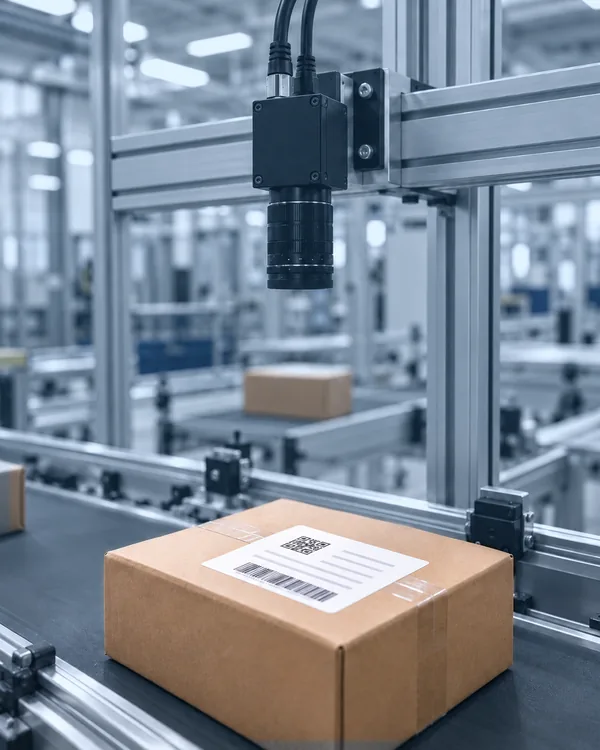
An area scan camera captures an area in a single image – which is why they are also called frame cameras. Typical fields of use include:
- presence checks of parts
- position and orientation checks
- code and label inspection
- dimensional and geometry checks
- surface inspection of individual parts
- packaging and final inspection
- robot guidance and pick-and-place applications
- documentation of inspection features
An area scan camera often makes sense when the relevant inspection feature can be evaluated as a complete image.
In short: Area scan cameras capture a fixed image area completely. That makes them strong for many 2D inspection tasks in industrial machine vision.
When an area scan camera makes sense
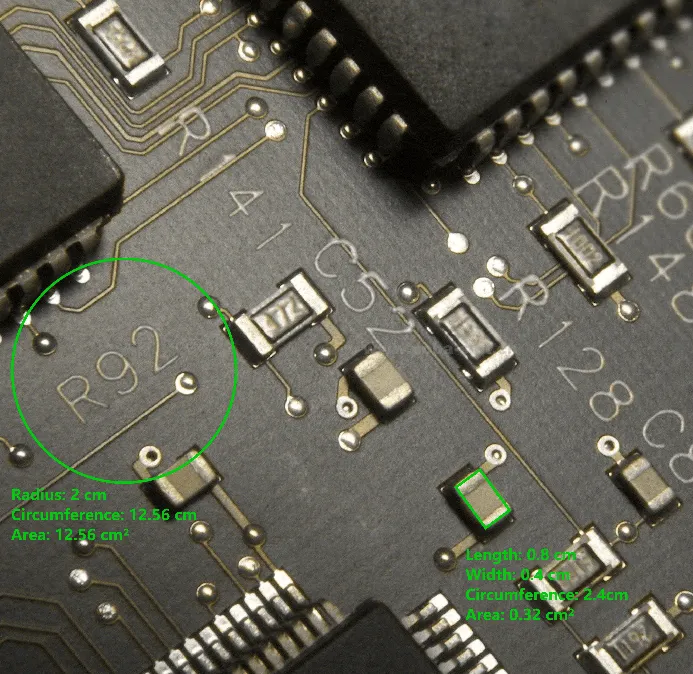
Area scan cameras often fit applications in which an object, part or inspection area can be captured completely. That can be a single part on a workpiece carrier, a label on a package, a code on a component or a defined area in which position, completeness or surface is inspected. Area scan cameras are often the right choice when:
- a single object or a clearly bounded inspection area is captured
- presence, position, dimensions, code, label or surface features need to be inspected
- the relevant feature lies within a fixed field of view
- the moment of capture can be triggered cleanly
- camera, lens and lighting can be integrated sensibly
Important: Moving objects do not rule out area scan as the right solution. But then cycle rate, exposure time, triggering, lighting and shutter technology must be considered together. A high frame rate alone is not enough. Area scan is often the right fit when the inspection feature lies within a defined image field. However, if continuous material, web goods or very large widths are involved, line scan should additionally be evaluated as a potential solution.
Your application and requirements match area scan?
View area scan cameras in the shop nowNot yet sure whether area scan or line scan fits better?
More guidance: area scan vs. line scanWhich criteria determine the selection of an area scan camera
The selection of a suitable area scan camera becomes reliable when the technical requirements are derived from the application scenario. Important selection criteria are:
- Field of view: What area must be visible in the image?
- Detail size: How small is the relevant feature?
- Resolution: How many pixels are needed to image this feature reliably?
- Frame rate: How fast does the process run?
- Exposure time: Is there motion that could cause blur?
- Triggering: When exactly should the image be captured?
- Interface: What data rate, cable length and system architecture are required?
- Mono or color: Is color information actually evaluated?
- Lens: Which working distance, focal length and sensor fit together?
- Lighting: How is the contrast created that the evaluation needs?
- Installation situation: Is there space for camera, lens, light, mounting and cables?
- Software and integration: Which environment will the camera be integrated into?
In short: Inspection task, field of view, detail size, cycle rate, interface, optics, lighting and installation situation set the technical direction.
All criteria clarified?
View area scan cameras in the shopOpen questions on resolution, timing, optics or light?
Ask MarkusResolution: not more megapixels, but the right detail recognition
More megapixels feel safe at first glance. In practice, however, an unnecessarily high resolution can increase data volume, interface requirements, processing effort and cost. What matters is which area is captured and how small the relevant feature is. From that follows which resolution makes technical sense.
Example: If a small feature has to be detected in a large field of view, a high resolution may be necessary. If, on the other hand, a larger part feature is inspected in a smaller image area, a lower resolution can be perfectly sufficient.
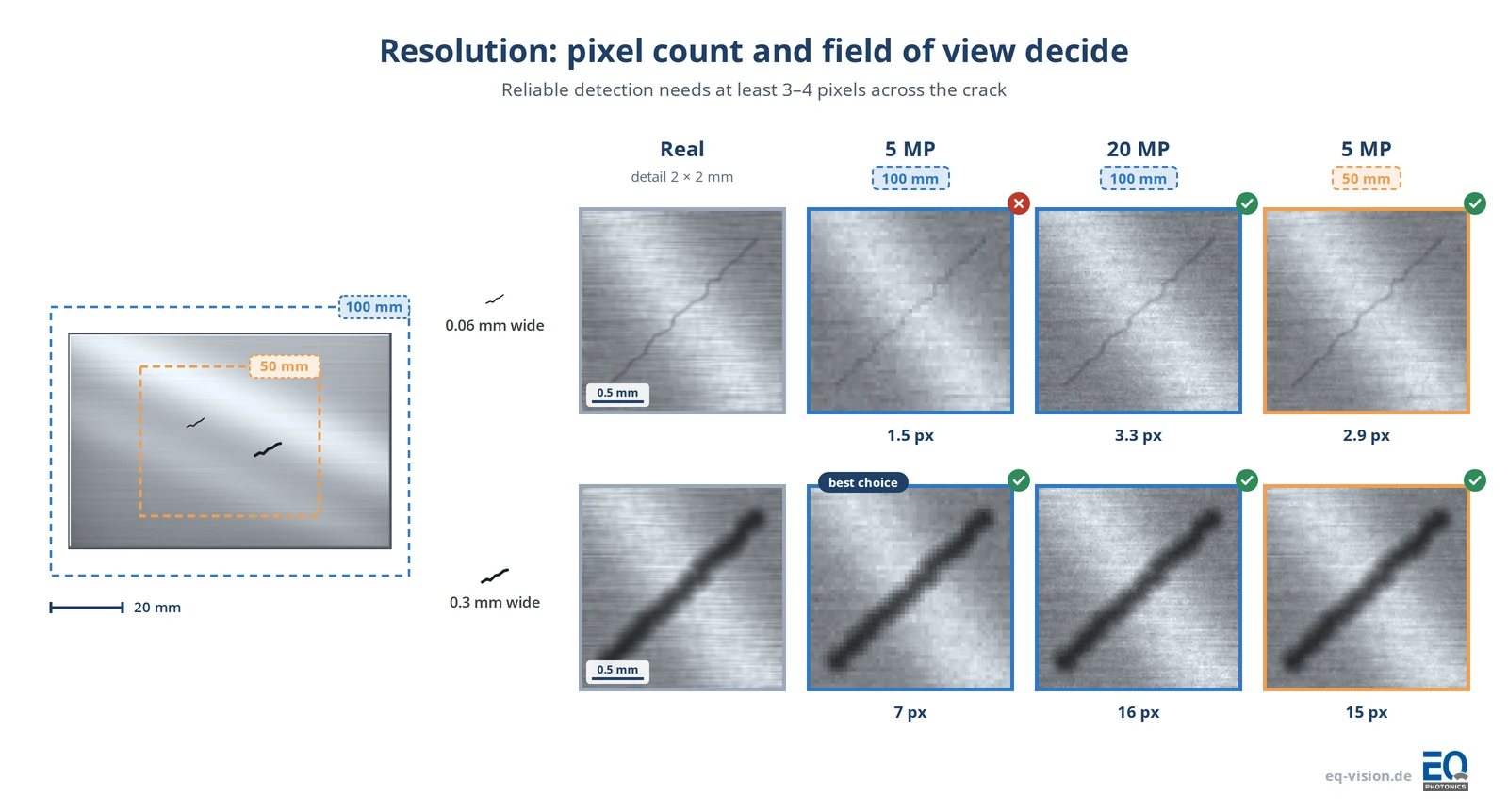
In short: The highest resolution is not automatically the sensible one – the right resolution is the one that fits the inspection task.
Unsure about the resolution?
Ask MarkusFrame rate, exposure time and triggering
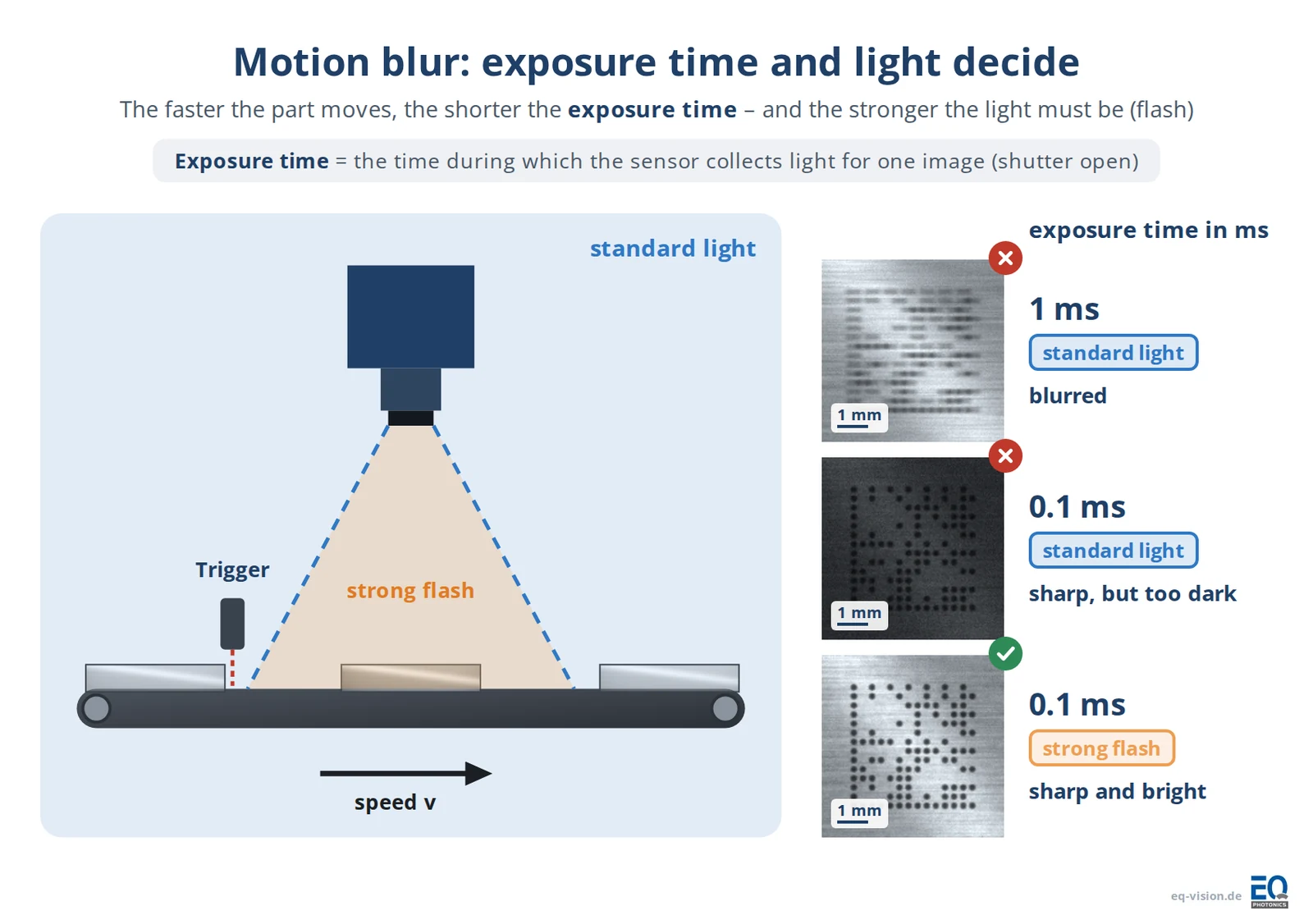
The frame rate indicates how many images per second can be captured. For industrial applications, however, this figure alone is not enough. What matters is whether the image is created at the right moment and remains usable. For that, frame rate, exposure time, object motion, lighting and triggering must be considered together. Typical questions are:
- How fast does the object move?
- Does a specific moment in the process have to be captured?
- Is there motion blur?
- Is the available lighting sufficient for short exposure times?
- Is triggering done via PLC, sensor or encoder?
In short: fps alone does not settle the timing. The image must be created sharp and evaluable at exactly the right moment.
Timing or motion are critical?
Have Markus check feasibilityInterface: GigE, USB3, 10GigE and co.
The interface is more than a connector. It influences data rate, cable length, system design, hardware environment and integration effort.
GigE can be an economical solution for many applications. USB3 can be interesting for short cable lengths and high data rates. 10GigE, Camera Link or CoaXPress can become relevant when high resolutions, high frame rates or special system requirements are involved. Which interface fits depends on the overall system:
- What data rate is generated?
- How long do the cables need to be?
- Which interfaces already exist in the system?
- Which software or image processing is used?
- How should the camera be integrated mechanically?
In short: The interface should match the data volume, cable length and system architecture, not just the available connector.
Mono or color?
For many inspection tasks in industrial machine vision, a monochrome camera makes technical sense when edges, contours, shapes, codes or contrasts are evaluated. Color becomes relevant when the color information itself is part of the inspection task – for example when color codes need to be recognized, labels inspected, printed images checked, colored part variants distinguished or color deviations evaluated.
| A monochrome camera often makes sense when … | A color camera often makes sense when … |
|---|---|
| edges, contours or shapes are inspected | color codes or colored markings must be recognized |
| codes, geometries or positions are evaluated | colored part variants need to be distinguished |
| contrast is the main focus | labels, printed images or packaging are inspected for color |
| lighting is used in a targeted way | color deviations need to be evaluated |
| the evaluation needs no color information | grayscale contrast is not sufficient for the distinction |
In short: Color makes sense when an inspection-relevant difference would be lost without color information.
Not sure whether mono is enough?
Ask MarkusThink about lens and lighting early
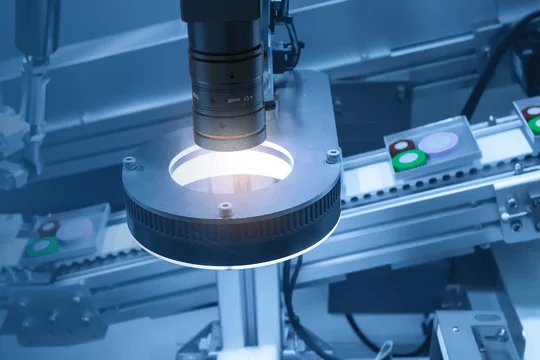
A camera datasheet is only one part of the selection. Whether the image acquisition works in the application depends strongly on lens, working distance, lighting, mounting position and ambient conditions. A suitable lens ensures that field of view, sensor size, working distance and detail size fit together. The lighting ensures that the relevant feature becomes visible with sufficient contrast in the first place. Many imaging problems are caused not by the wrong camera class but by boundary conditions clarified too late:
- reflections
- shadows
- too little contrast
- wrong working distance
- unsuitable lens
- tight installation space
- unfavorable cable routing
- missing trigger logic
In short: Camera, lens, lighting and installation situation should be reviewed together.
Review camera, lens and lighting together?
Ask MarkusAvoid selection mistakes? 6 tips from Markus on choosing area scan cameras
Tip 1: Clarify the inspection feature first, then choose megapixels. More resolution can help. But it can also increase data volume, cost and integration effort. What matters is whether the relevant feature is reliably recognizable in the chosen field of view.
Tip 2: Never judge a datasheet without optics and light. A camera can fit on paper. If working distance, lens, lighting or mounting do not play along, the image acquisition will still be difficult.
Tip 3: Do not confuse fps with process reliability. The frame rate alone does not tell you whether the process is imaged cleanly. Exposure time, triggering, object motion and lighting are always part of it.
Tip 4: Consider the interface early. GigE, USB3, 10GigE, Camera Link or CoaXPress influence data rate, cable length, system architecture and follow-on costs.
Tip 5: Choose color only if color is inspection-relevant. A color camera makes sense when color codes, markings, colored variants, printed images or color deviations need to be evaluated. For edges, shapes, codes or contrasts, monochrome is often the right choice.
Tip 6: Do not base area scan on the image crop alone. If the object fits into the image, area scan is often the natural choice. Even so, motion, cycle rate, inspection width, light and installation situation should be checked as well.
Prefer to double-check before ordering?
Have Markus assess your applicationArea scan – or line scan after all?
If you are not yet sure whether an area scan camera is fundamentally the right choice, the application should briefly be checked against line scan. Area scan is strong when a defined inspection area can be captured completely. Line scan becomes interesting when material runs continuously, very wide surfaces are inspected or the image is built up from motion.
More guidance?
On area scan vs. line scanFAQ on area scan cameras
What is an area scan camera?
An area scan camera is a frame camera. It captures a complete two-dimensional image of a defined inspection area. In industrial machine vision it is used when objects, parts, codes, labels, positions or features need to be captured and evaluated in a single image.
Is an area scan camera the same as a Flächenkamera?
Yes – in industrial machine vision the terms are often used synonymously. Area scan camera is the common market term; Flächenkamera is the German name and describes well what the camera does: it captures an area in one image.
When should line scan be considered instead of area scan?
Line scan should be considered when material runs continuously, web or roll goods are inspected, very wide surfaces must be captured or the image is built up from the motion of the material. When in doubt, a brief technical assessment is worthwhile.
What resolution does an area scan camera need?
The necessary resolution follows from the field of view and the smallest relevant structure. What matters is whether the feature can be reliably recognized or measured in the image. More megapixels are not automatically better, because they can increase data volume, interface requirements and processing effort.
Which interface makes sense: GigE, USB3, 10GigE, Camera Link or CoaXPress?
That depends on data rate, cable length, frame rate, resolution and system architecture. GigE can fit many applications. USB3 is interesting for short cable lengths and high data rates. 10GigE, Camera Link or CoaXPress can make sense for high resolution or frame-rate requirements.
Mono or color: which fits area scan better?
That depends on the inspection task. A monochrome camera often makes sense when contrast, edges, shapes or structures are evaluated. A color camera makes sense when color information is genuinely part of the inspection, for example for print, label or color-code checks.

Not sure which area scan camera fits your application?
“For selecting an area scan camera, too, there is no universal solution. The more clearly the application is described, the faster you can narrow down which camera makes technical sense and which boundary conditions still need to be checked.”
For a first assessment, the most helpful points are: What needs to be inspected, detected or measured? Are there sample images, sample parts or drawings? How large is the area to be captured? How small is the relevant detail? And are there requirements regarding cycle rate, interface, software, lens, lighting, installation space or mounting situation?
In short: A good description of the application is often enough to narrow down the technical direction. Missing details are easiest to clarify together in a conversation.
Discuss feasibility with Markus Send inquiry